June 6, 2026 · By Ryan Findley
Restoring a StoreVirtual
This is a companion piece to “We Taught a Dead Server to Run a Frontier Model”. That post is the destination; this is the garage. If you don’t get a quiet thrill from fan-speed curves and firmware hacks, you can safely skip it. If you do, pull up a stool.
People restore old cars. This was my first time restoring an old server, and the appeal turned out to be exactly the same. You find something that was expensive and excellent in its day, abandoned because the world moved on rather than because anything’s actually wrong with it, and you bring it back. The HP StoreVirtual is a good candidate: underneath the storage-appliance badging it’s a ProLiant DL380p Gen8, one of the most over-built machines HP ever shipped. Dual sockets, twenty-four memory slots, redundant everything. And the thing that caught my attention: 3.5” drive bays (lots of them). A genuine workhorse wearing a costume.
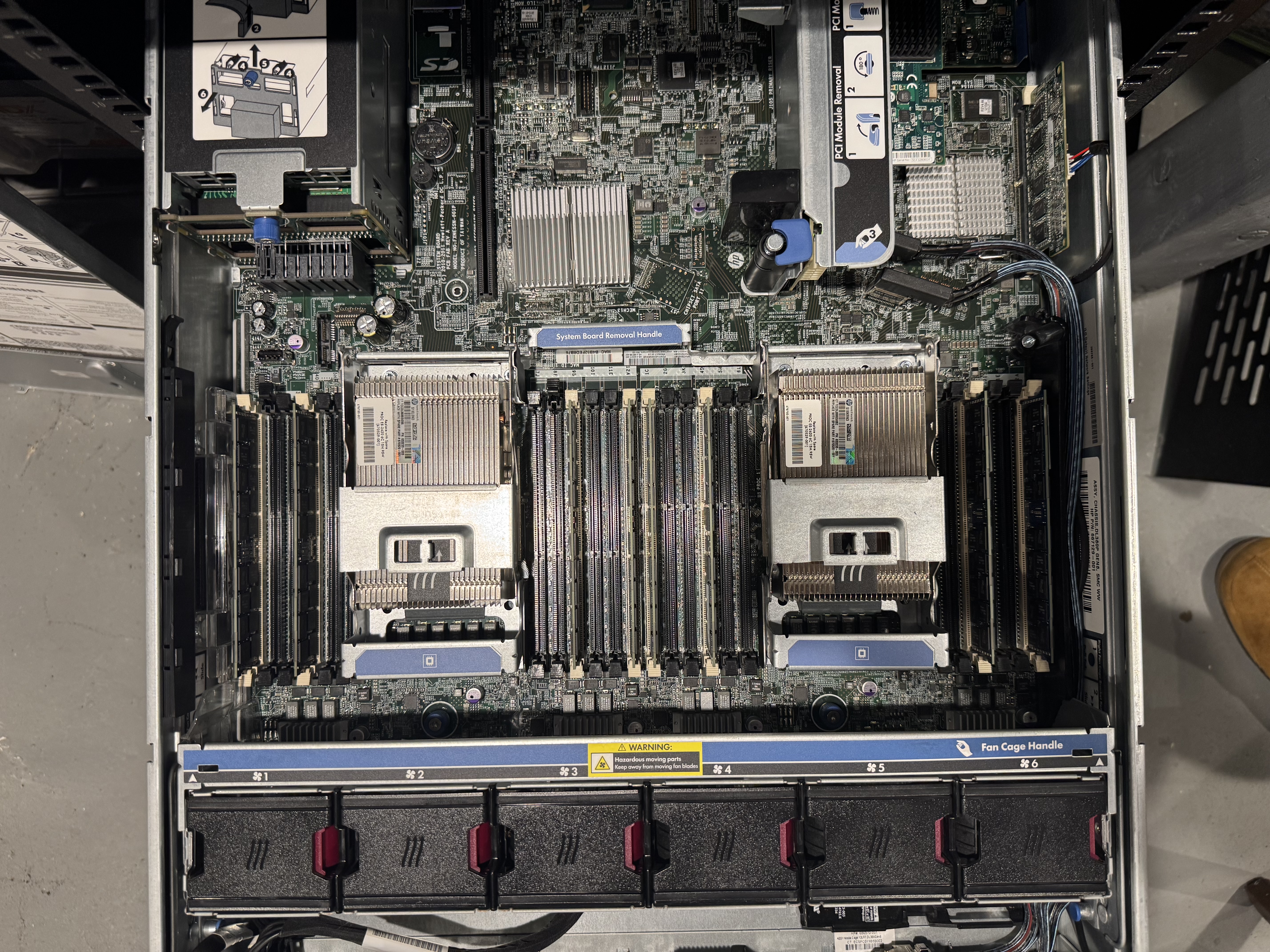 The patient on the bench, lid off.
Like any barn find, it didn’t run right when it arrived. Here’s the restoration log.
First time with the real stuff
I should admit up front: I’d never owned enterprise hardware before this. I’ve been in my clients’ server rooms, but never had full permission to play. My mental model of “working on a computer” was consumer PCs, where you fight sharp edges, lose screws under the motherboard, and pray the cable reaches. So the first surprise was just how nice this thing is to work on.
Everything is built to be serviced by a stranger in a hurry. The lid pops off with a single latch, no tools. The service points are color-coded, blue and green for “you can touch this,” and the parts that hot-swap really do slide in and out with a satisfying click. There’s an airflow shroud that lifts straight out, and the layout diagram is printed right on the inside of the cover so you never have to go looking for a manual. It’s the difference between a car you have to drop the engine to change a spark plug on and one designed so a mechanic can do it in five minutes. Fifteen years on, the engineering still feels like it was made by people who respected whoever opened it next.
The rack was the other story. I’d never assembled one before, and reader, it was surprisingly frustrating; I cursed more than I have for any other home improvement project. The server is a pleasure to work on. Getting it into something so it would stop living on a folding table was a wrestling match: rail kits that have to click into square holes at exactly the right depth, cage nuts that ping across the floor the instant you think you’ve seated them, and a chassis heavy enough that you really want a second pair of hands you don’t have at 11pm, (though there a few tricks I could have picked up if the right friend was present). The hardware engineers clearly earned their pay. Whoever I imagined was going to make rack assembly intuitive did not. Or maybe those parts cost more than the cheapest ones I could find?
Getting the appliance costume off
A StoreVirtual ships as a sealed appliance. It boots into LeftHand OS, the SAN software the whole product was built around, and it has opinions about being anything else. Step one of any restoration is the same: strip it back to bare metal.
That means clearing the appliance install entirely and reclaiming the box as a plain server. The disk controller is a Smart Array P420i, which by default wants to present everything as hardware RAID. For a general-purpose host I wanted honest disks, so the controller had to be reconfigured to hand them over directly rather than hiding them behind a RAID volume.
With the costume off, it’s just a Gen8. Good bones, like turning the key on an engine that hasn’t run in years and hearing it catch.
Then it tried to take off
The first boot is where the romance meets reality, because a Gen8 fresh out of an appliance role is loud. Not “office printer” loud. “Someone is operating a leaf blower in the basement” loud.
This is by design. The fans are managed by iLO, HP’s out-of-band controller, and iLO sets the fan curve from thermal data it trusts. Put the chassis in an unfamiliar configuration, swap in a part it doesn’t have a thermal profile for, and iLO does the safe thing: it assumes the worst and spins everything to a roar. In a data center with its own white noise floor, nobody cares. In a house, it’s a non-starter.
A car you’re restoring for the street gets tuned differently than one built for the track. Same idea here. The fans don’t need to run like the building’s HVAC is on fire; they need to keep a basement server cool and quiet. Stock iLO won’t let you do that, though. The fan curve is locked down; HP never intended an owner to touch it.
This is where the restoration turns into an engine swap. There’s an open-source project, ilo4_unlock, aptly subtitled Silence of the Fans, that patches HP’s iLO 4 firmware to expose a set of utilities HP hid: a real fan command, plus the underlying health and temperature-sensor controls. It builds on the Airbus Security Lab’s iLO4 reverse-engineering work and the original homelab fan-control research before it. It’s the aftermarket ECU tune of the server world: the same engine, finally willing to listen to you.
A few things worth knowing if you go down this road, because this is the part where you can actually hurt the car:
- You build the firmware yourself. HP has sent cease-and-desists over hosting their iLO binaries, so the project ships patches, not images. You run the build (it wants Python 2.7, or there’s a Docker path) and it produces a patched firmware from HP’s own download.
- There’s a version ceiling. v2.77 is the last iLO 4 release with a working patch; HP stripped the useful control utilities out of later versions. Don’t flash past it expecting the fan commands to be there.
- You flash from bare metal, not the web UI, with the iLO security override jumper flipped on the board. A botched flash bricks the iLO, and its chip can’t be reprogrammed in place; recovery means desoldering. This is the “don’t drop the engine” step. Respect it.
Once the patched firmware is on, the fan command opens the hood. You can set a minimum PWM floor per fan and reshape the curve so the chassis idles whisper-quiet and only spins up when the thermals actually call for it, exactly the “quiet unless under load” behavior the stock firmware refuses to give you.
The payoff is one of the great small satisfactions of this hobby: the moment a machine that sounded like a jet on the apron settles into something you could sit next to all day. Tuned, not just running.
Sorting the rest
After that it’s the ordinary checklist of any restoration, the unglamorous passes that make the difference between “it starts” and “it’s reliable.” Bringing the system BIOS and iLO firmware up to a sane baseline. Seating the RAM properly across the channels (I found some cheap additions on eBay) so all twenty-four slots are actually pulling their weight. Populating both CPU sockets (I also found a cheap upgrade pair on eBay) and the thermal story is honest end to end. Burning it in and watching for the fault that only shows up two hours into load.
None of it is hard. It’s just attention, paid in order, the same attention you’d give a car you actually intend to drive rather than park.
I don’t have any harddrives for it yet, so it boots Ubuntu from an SD card (the motherboard has a reader) and then mounts /home from NFS. It’s not winning any benchmarks, but now we’ve got 40 cores @ 3ghz and 386GB of RAM to play with.
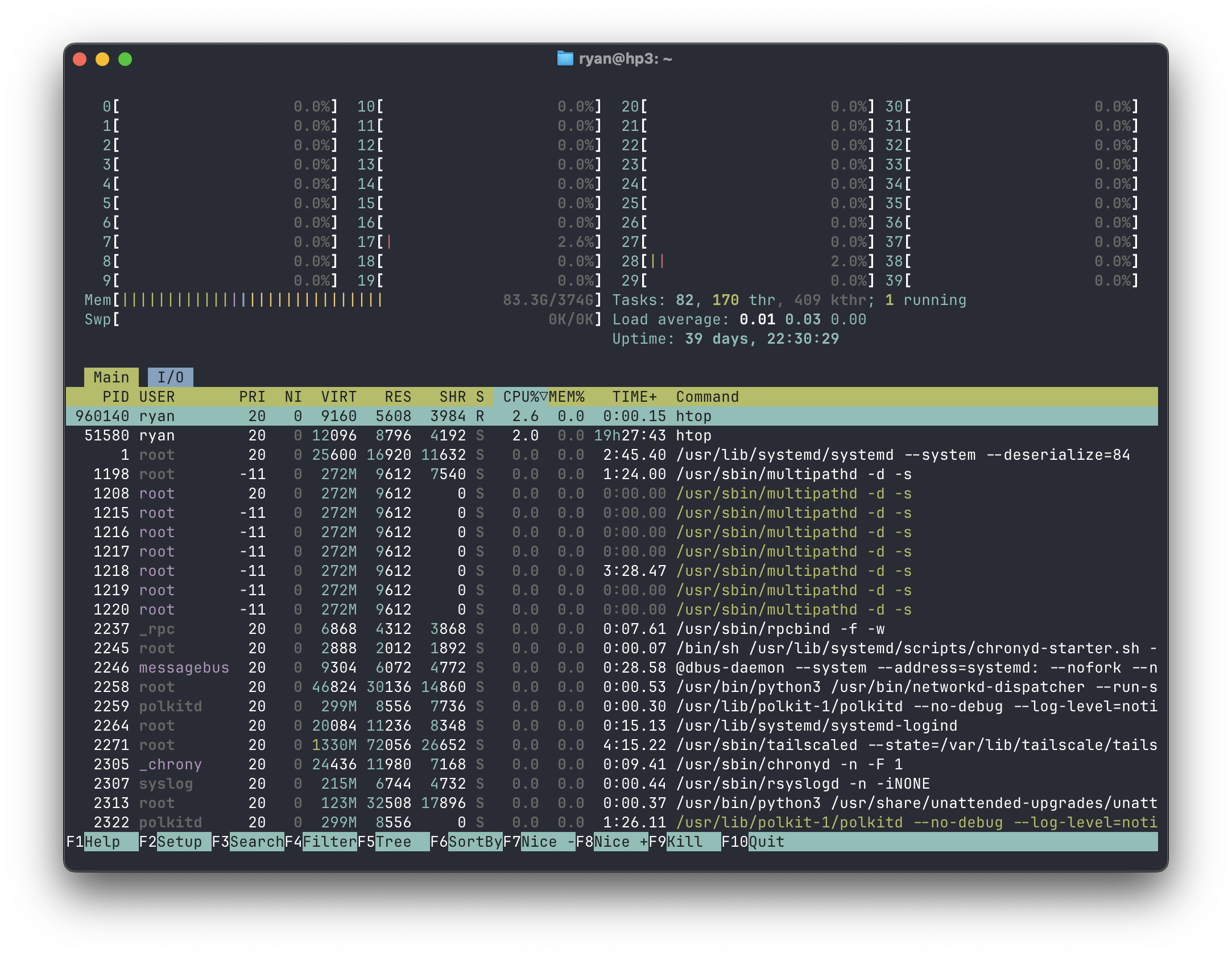 The finished engine at idle: forty threads, 374 GB of RAM, and 39 days of uptime without a hiccup.
Why bother
This project was actually born from a rant about how expensive cloud hosting has become. The byproduct is a server that cost a tiny fraction of its cloud equivalent and that I understand completely, top to bottom, because I put it back together myself.
And then, a Hacker News post showed me I could teach it to run a frontier AI model. But that’s the other post. This one was just about the joy of the restoration.

Author: Ryan Findley